PrecAlgoRANGE

iOS 17.0+ · Android 8.0+

The data book for precision shooting

Manage your equipment, ammunition and DOPE.

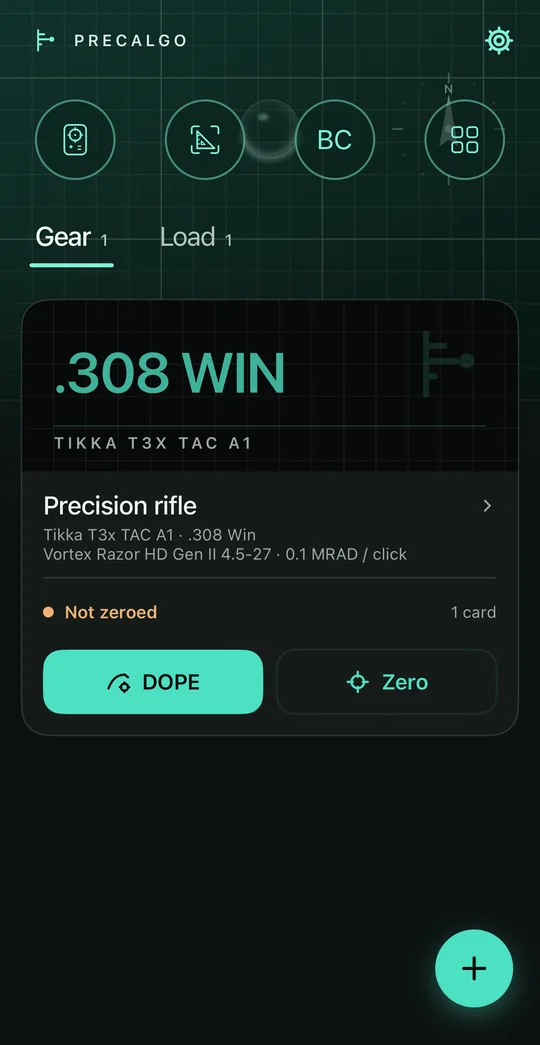
Home (dark mode): the gear library with a precision rifle and its DOPE and zero shortcuts
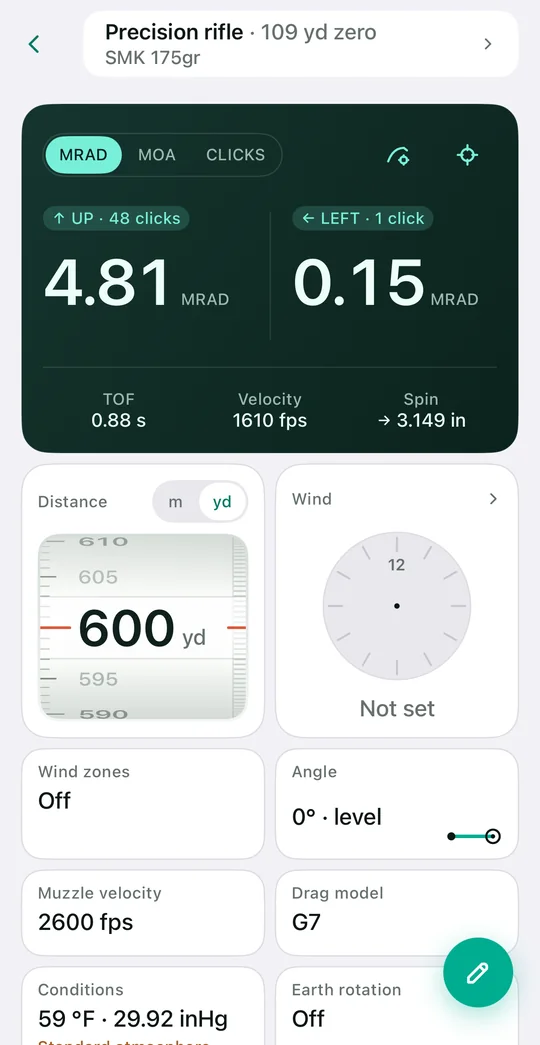
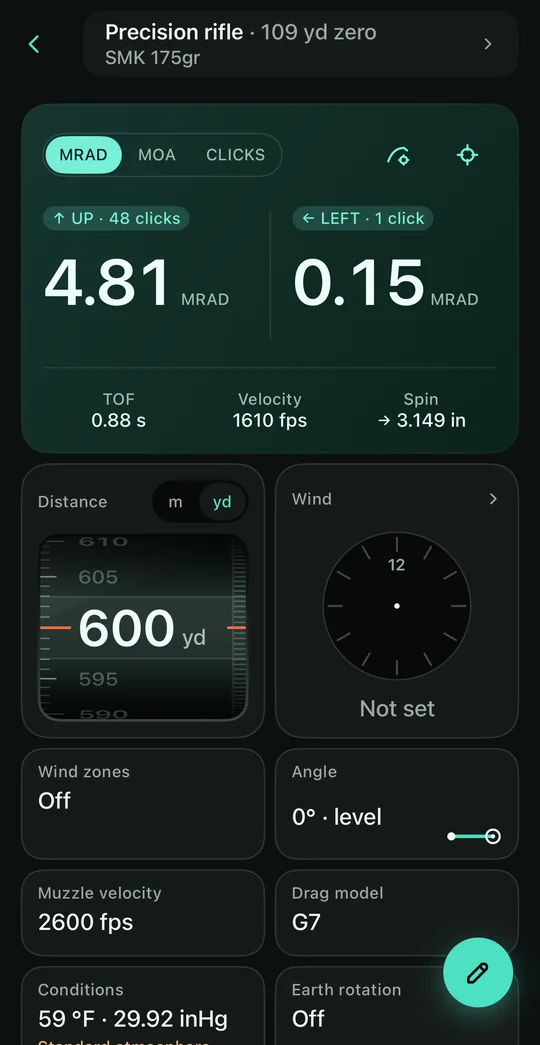
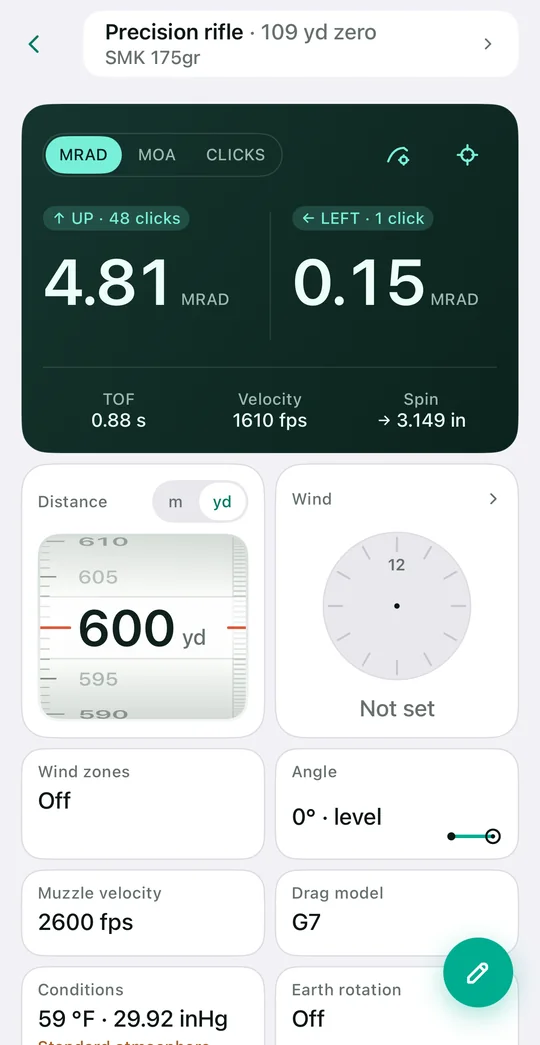
Ballistic solver (light mode): 600 yd solves to UP 4.81 MRAD, LEFT 0.15 MRAD
01 / 03

Features

Features · 6

All readings below come from one demo data set: .308 Win, SMK 175 gr, 100 yd zero, solved at 600 yd.

01

DOPE cards and ballistic solving

Solver

One card covers one rifle, one load and one zero. Change any of the three and a new card is created, so the conditions a card applies to are never in doubt.

Drag model
G1 / G7
Muzzle velocity
Back-calculated from live-fire records
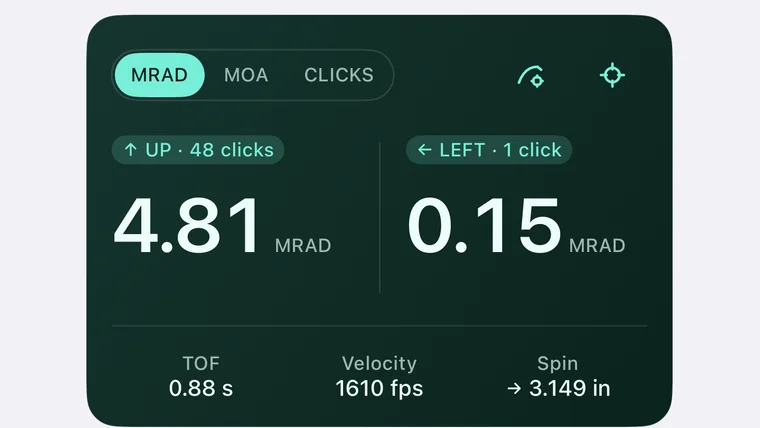
600 yd solution
UP 48 clicks / 4.81 MRAD
Toggled separately
Spin drift · Coriolis · incline
Transonic range
Marked separately
Solution readout: UP 48 clicks / 4.81 MRAD
Fig. 01 — 600 yd · standard atmosphere
02

Ammunition and ballistic coefficient

Ammunition

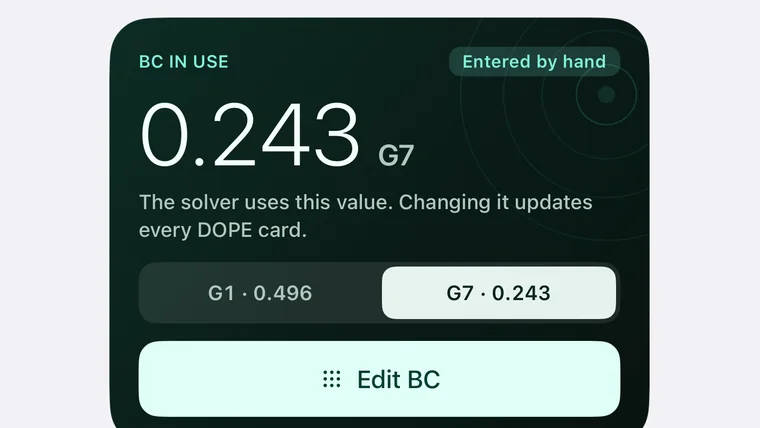
What matters in a saved load is its ballistic coefficient. The BC used by the solver is shown in large type with its source: manufacturer, fitted from the box table, or custom. Edits step by 0.001, and the panel shows the difference from the manufacturer value and its effect on the 600 yd elevation.

Drag model
G1 / G7 · one-tap switch
Source
Manufacturer · box table fit · custom
Adjustment
0.001 steps · or type the value
Comparison
Difference in % · change in 600 yd elevation
Restore
Manufacturer value in one tap
Ammunition detail: G7 BC 0.243 with the G1 / G7 switch
Fig. 02 — SMK 175 gr · G7 0.243
03

Guided zeroing

Zeroing

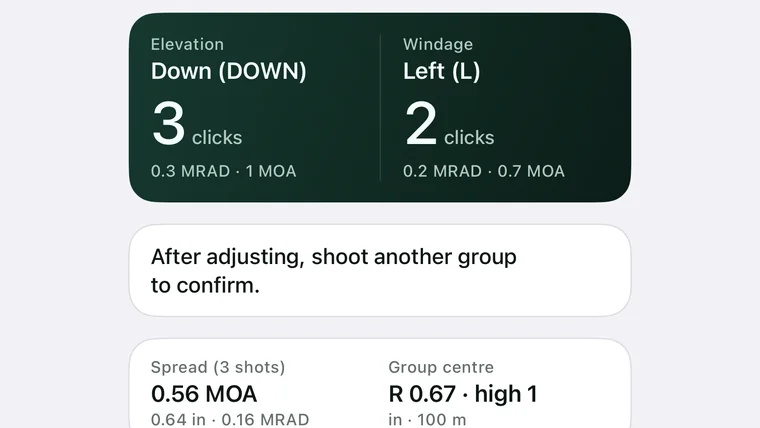
Zeroing runs in four steps: set up, check, plot and adjust. It does not start while optic parameters are missing or the target size is unconfirmed; once the impacts are plotted on the target, it gives the turret direction and click count from the shots fired and the optic’s click value.

Shots
As many as you fire · plotted on the target
Output
Turret direction as marked · click count · rounding remainder
Target
Common sizes built in · custom supported
Units
MRAD and MOA side by side
Zero adjustment: direction and clicks for the elevation and windage turrets
Fig. 03 — Set up · check · plot · adjust
04

Reticle hold point

Reticle

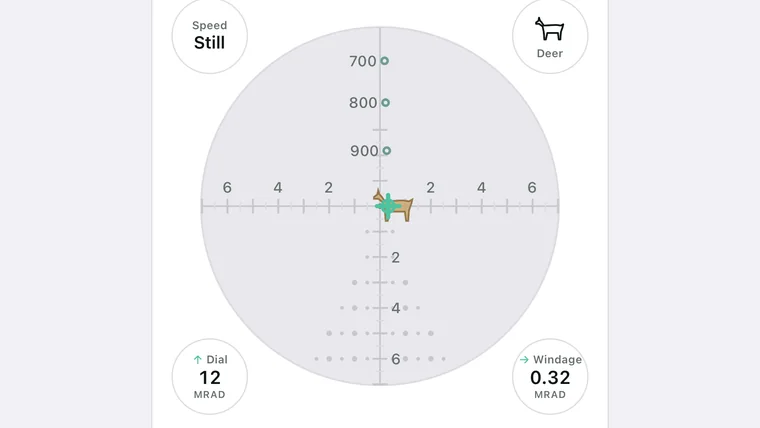
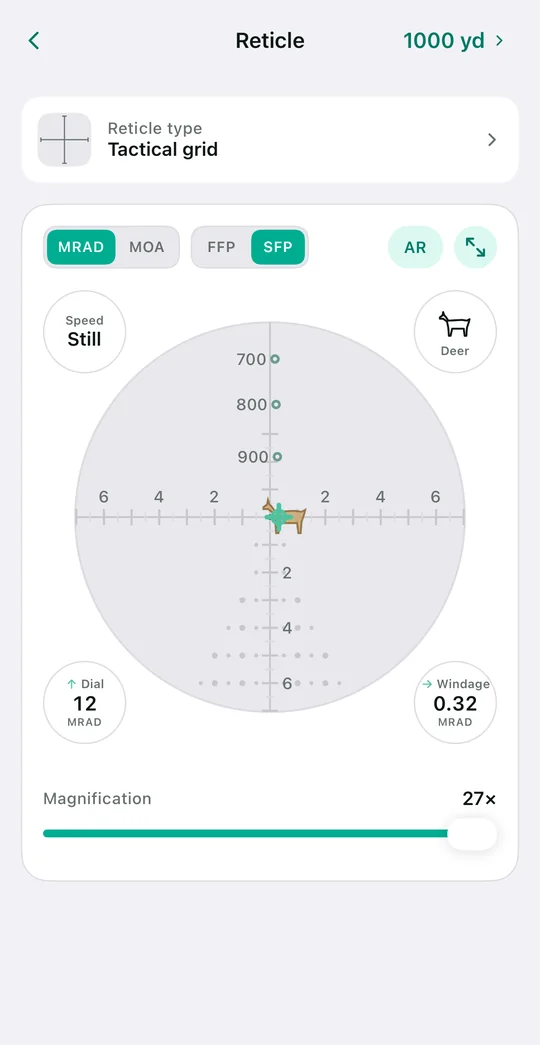
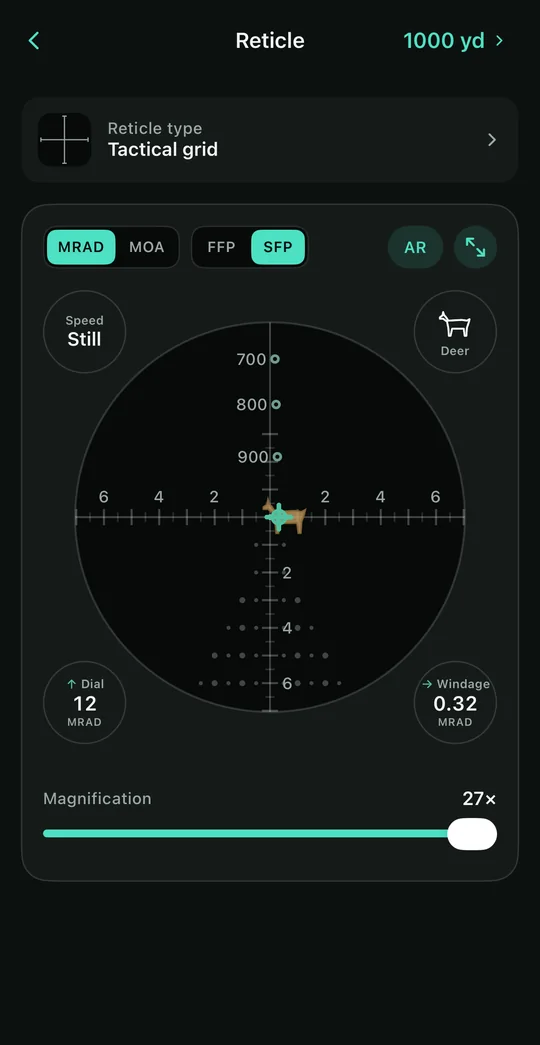
Draws where to hold on the reticle from the current solution. Drop reads in angle only — no target face holds the three metres it falls at six hundred. In wind the whole trajectory leans to one side on the glass, and that lean says more than a column of numbers.

Style
Mil-dot · tactical grid · BDC ladder
Unit
MRAD / MOA · from the scope specification
Focal plane
FFP / SFP · SFP scales the grid count by magnification
Reference
Deer · silhouette · steel plate outlines · lead in body lengths
Reticle hold point: impact, shot table and wind drift
Fig. 04 — Tactical grid · SFP · 27×
05

Equipment library and factory specifications

Library

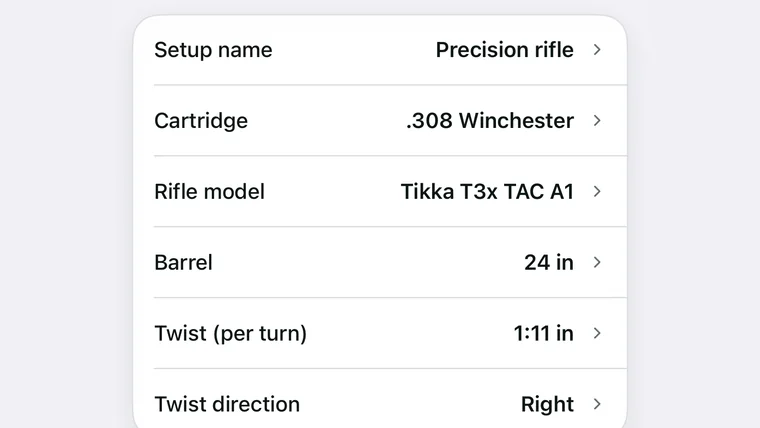
Rifles, optics and ammunition are recorded separately and combined into a setup. When creating one, you search the factory rifle catalogue by brand and model, and the configuration, barrel length and twist come with it; sight height is measured with the help of a diagram.

Built-in catalogue
Factory rifles · optics · factory ammunition
Ready to reference
Twist rate · barrel length · BC · muzzle velocity
Scope
Adjustment per click · turret direction as marked
Beyond the catalogue
Entries can be created by hand
Equipment set detail: calibre, rifle model, barrel length, twist rate and twist direction
Fig. 05 — .308 Win · 1:11 in twist
06

Visual rangefinder and field tools

Field tools

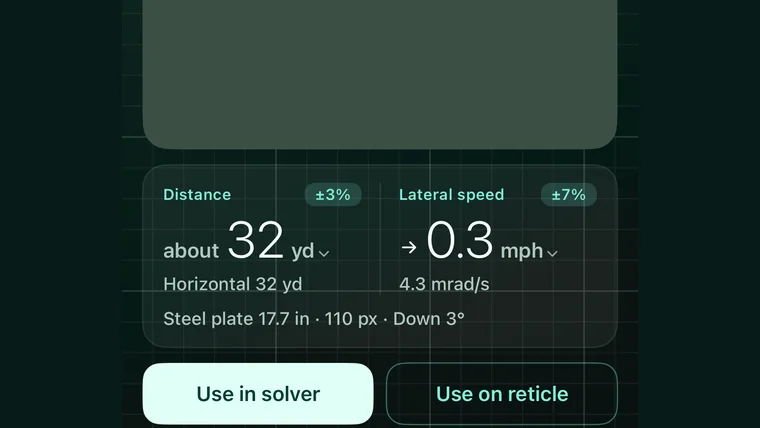
Without a laser rangefinder, distance is estimated from an object of known size in the frame: the viewfinder boxes the objects it recognises, and tapping one locks it and gives both its distance and its crossing speed, ready for the solver and the reticle; you can also bracket the target’s top and bottom by hand. The tools page also has a conditions card, a compass and a level, and the weather readings feed straight into the solver.

Principle
Known size ÷ angular size (mil relation)
References
Paper targets · steel plates · common animals and vehicles
Result
Distance · lateral speed · error percentage
Lens
Telephoto preferred
Weather
Temperature · station pressure · humidity · density altitude
Visual range & speed: distance and lateral speed after locking onto a steel plate
Fig. 06 — Locked · 17.7 in steel plate
02 / 03

Several colour schemes for different settings

Display

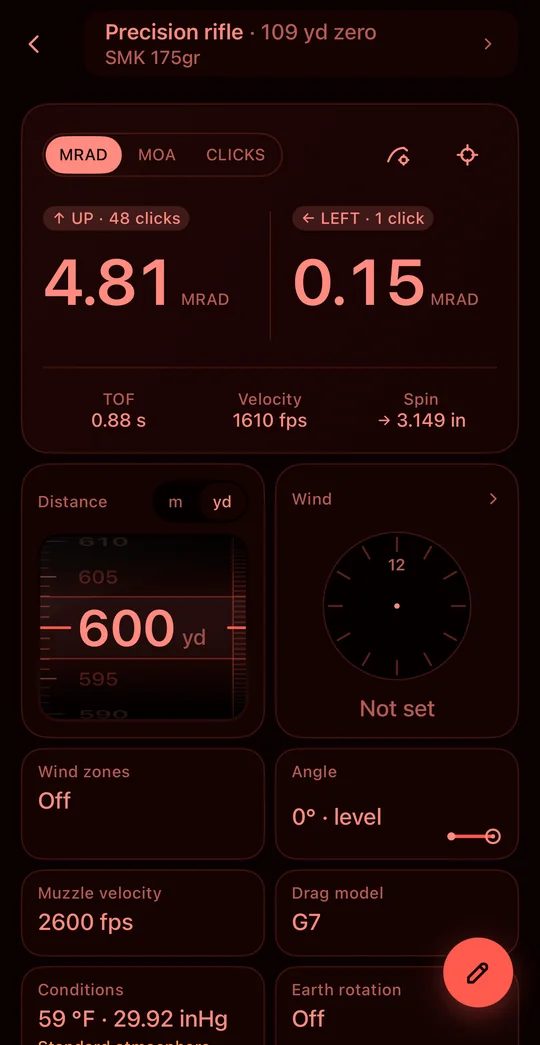
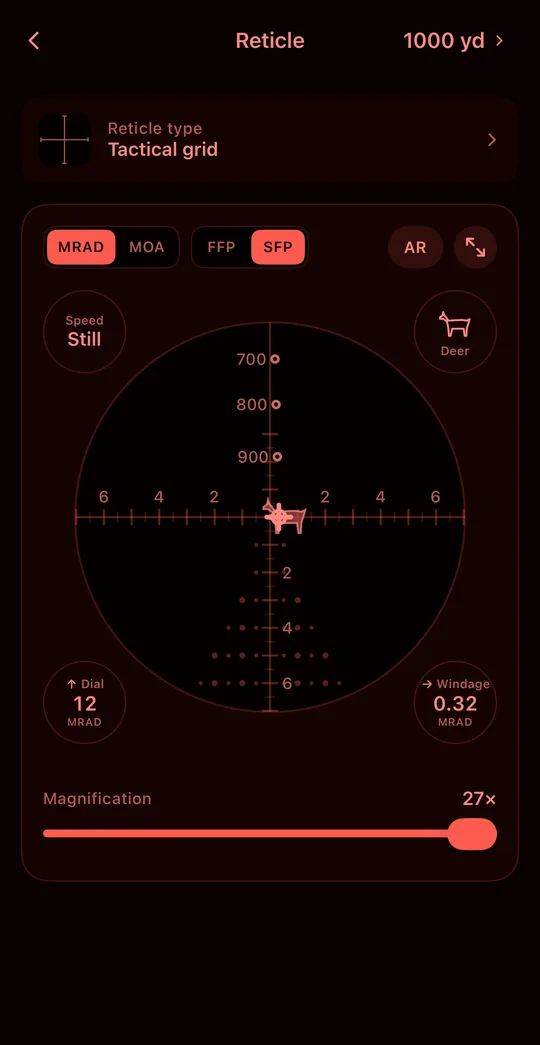
Sorting data indoors, a sunlit range and a night firing point each ask something different of the screen. The display mode is chosen by the shooter.

Light ground, dark type, the densest of the three. Suited to sorting data indoors and looking up ammunition and factory rifle specifications.

Light mode: the ballistic solver on a light ground
Light mode: the reticle simulation on a light background
Dark mode: the ballistic solver on a dark ground
Dark mode: the reticle simulation on a dark background
Night mode: the ballistic solver in a single red hue
Night mode: the reticle simulation in a single red hue
03 / 03

Privacy and data

Privacy

Equipment parameters, ammunition data, DOPE data and photos belong to the user, who decides item by item whether anything leaves the device.

01

Local by default

Local first

Solving, zeroing and ranging all run on the device, and the app is fully usable without signing in.

02

Sync is authorised item by item

Consent

Signing in is not consent to upload. Syncing the equipment library and DOPE requires your consent, which you can withdraw at any time. Photos are never synced.

03

Export and deletion

Export

The backup exports as a single zip containing local records and photos and can be restored on another device; the account and all local data can be deleted from within the app at any time. The privacy policy and terms ship with the app and are readable offline.

Appendix

Frequently asked questions

FAQ
Q.01Which units are supported?

Distance in m or yd, length in mm or in, angle in MRAD or true MOA, and readings can be given in scope clicks. Units are chosen per form; no global setting has to be changed.

Q.02Is an internet connection required?

No. Solving, zeroing and ranging all run on the device. A connection is used only for cross-device sync, catalogue search and weather lookups, and sync requires your consent first.

Q.03How accurate is the visual rangefinder?

It gives an estimate with its error percentage: the more certain the reference size and the more pixels the target covers, the smaller the error. A telephoto lens is recommended; where available, a laser rangefinder takes precedence.

Q.04Are photos uploaded?

No. Zeroing targets, ammunition box tables and rangefinder frames all stay on the device. To move them, export a backup and keep it yourself.

Q.05Can the data be exported?

Yes. The backup is a single zip file containing the locally stored records and photos, and it can be restored on another device.

Q.06Which platforms are supported?

iOS 17.0 or later and Android 8.0 or later. Both share the same calculation rules and data model.

App Store

iOS 17.0 or later

Scan the QR code with a phone, or use the button below on this device.

Go to download